
CGRectInset
func CGRectInset(_ rect: CGRect, _ dx: CGFloat, _ dy: CGFloat) -> CGRect
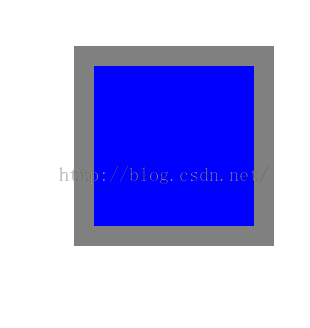
返回一个矩形,这个矩形以原矩形的中心点为中心,比原矩形大或者小。
参数:
rect:原矩形.
dx:x坐标值用来调整原矩形。创建一个inset矩形,指定正值则比原矩形宽,指定负值则比原矩形窄.
dy:y坐标值用来调整原矩形。创建一个inset矩形,指定正值则比原矩形高,指定负值则比原矩形短.
-(void)testCGRectInset
{
    UIView *view1=[[UIView alloc]initWithFrame:CGRectMake(120, 120, 200, 200)];
    [view1 setBackgroundColor:[UIColor grayColor]];//view1 设置为灰色
    [self.view addSubview:view1];

    //根据view1的大小变换后创建view2;
    CGRect view2Rect=CGRectInset(view1.frame, 20, 20);
    UIView *view2=[[UIView alloc]initWithFrame:view2Rect];
    [view2 setBackgroundColor:[UIColor blueColor]];//view2 设置为蓝色
    [self.view addSubview:view2];


}
如上代码:产生的效果如图:
CGRectOffset
返回一个经过平移后的矩形。(与原矩形大小一致)
func CGRectOffset(_ rect: CGRect, _ dx: CGFloat, _ dy: CGFloat) -> CGRect
参数:
rect: 原矩形
dx: 平移的x坐标
dy: 平移的y坐标
-(void)testCGRectOffset
{
    UIView *view1=[[UIView alloc]initWithFrame:CGRectMake(120, 120, 200, 200)];
    [view1 setBackgroundColor:[UIColor grayColor]];//view1 设置为灰色
    [self.view addSubview:view1];

    //根据view1的大小变换后创建view2;
    CGRect view2Rect=CGRectOffset(view1.frame, 20, 20);
    UIView *view2=[[UIView alloc]initWithFrame:view2Rect];
    [view2 setBackgroundColor:[UIColor blueColor]];//view2 设置为蓝色
    [self.view addSubview:view2];
}
以上代码运行效果图:
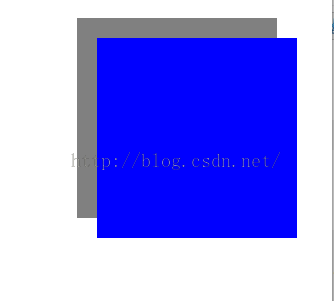
总结: CGRectInset主要是得到一个缩放了的矩形,而CGRectOffset是得到一个平移了的矩形。